10 JavaScript Sliders
JavaScript sliders, or carousels, offer a high degree of control and a rich feature set for showcasing content. They are built to handle complex logic for navigation, autoplay, touch events for mobile swiping, and lazy loading of images for better performance. A well-built JavaScript slider is a cornerstone of many modern websites. Building a slider is an excellent project for honing JavaScript skills in DOM manipulation, event handling, and managing state. This collection features a variety of powerful image and content sliders built with JavaScript. Explore different implementations to find the right features for your project.

GSAP Slider with Button Wave Effect
A playful and interactive fruit carousel showcasing different types of fruits—pear, apple, and exotic varieties. Users can navigate through the fruit sections using stylish left and right wave buttons, while the central text and cane images remain fixed, creating a dynamic parallax effect. Each section features multiple fruit images that slide smoothly, giving a lively, engaging experience.

Apple AirPods Max Headphone Slider
An interactive product showcase slider for Apple AirPods Max headphones, featuring multiple color variants and smooth transitions. The slider highlights key product features like Active Noise Cancelling, Transparency Mode, Spatial Audio, and Digital Crown controls, along with pricing and social media links. Each headphone image is paired with a vibrant radial-gradient background for a visually engaging presentation.

Interactive Travel Destination Slider
A visually immersive image slider showcasing travel destinations, with smooth navigation via next/previous buttons. Each slide features a full-background photo, a title, description, and a “See More” button linking to additional content. Perfect for travel blogs, portfolio showcases, or interactive storytelling, this project combines responsive design with elegant, clickable cards to highlight destinations in a captivating way.

Resizable Slide Panels with Drag & Stack Interface
An interactive resizable slideshow stack that allows users to drag and manipulate panels for a dynamic content browsing experience. Built using HTML, CSS, and SVGs, the panels can be resized and swiped, with clear visual cues provided by arrows and SVG icons for intuitive interaction.

BMW Class Swiper Slider
A modern interactive Swiper slider showcasing BMW car classes from A to G. Each slide features a visually rich background image with a gradient overlay, highlighting the car class name and an "explore" button. The slider uses a 3D coverflow effect with smooth transitions, centered slides, grayscale effect on inactive slides, and subtle hover animations to enhance user engagement. Perfect for car enthusiast websites or automotive portfolios.
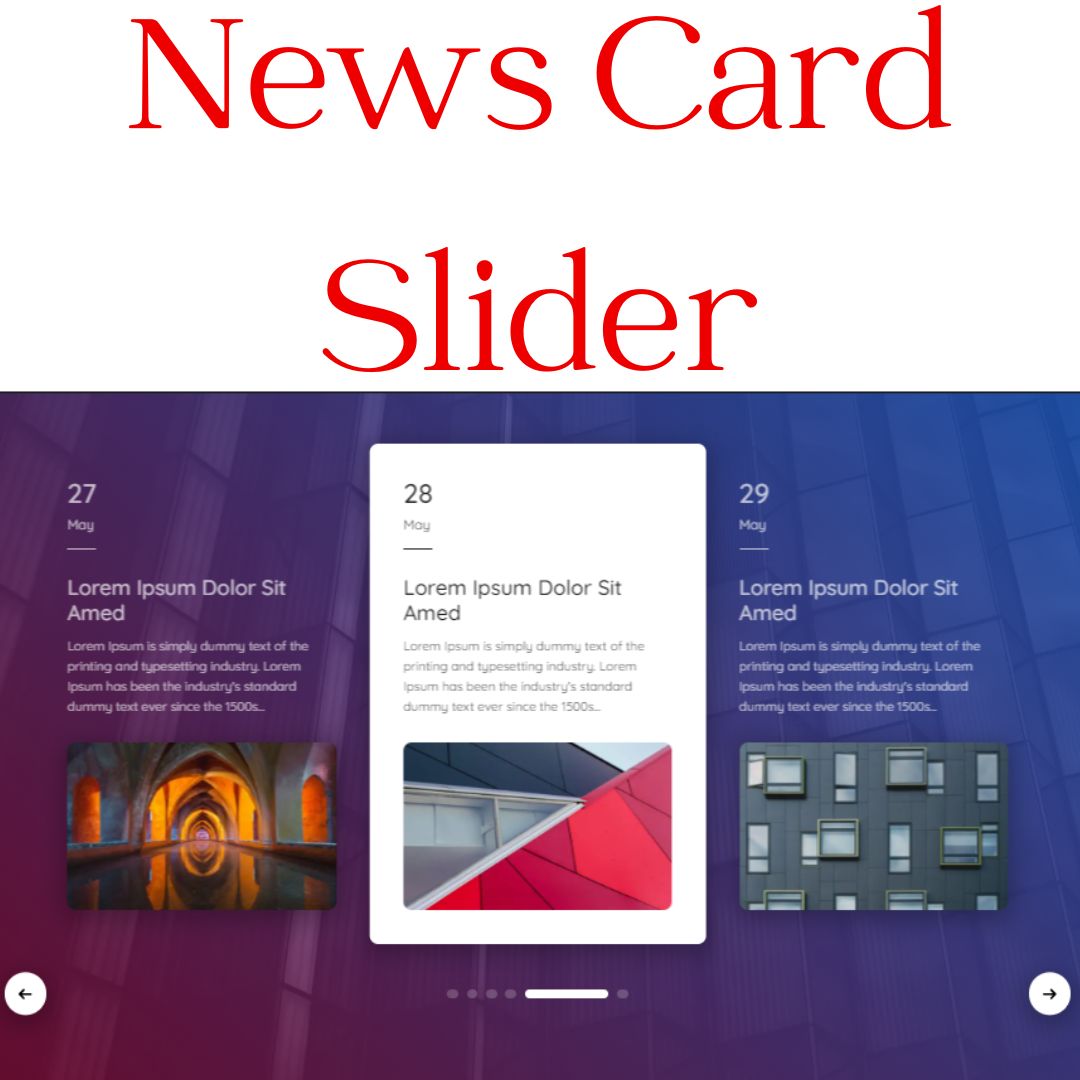
News Card Slider
A Responsive News Card Slider is a dynamic web component that displays a series of news headlines and articles in a visually engaging and interactive slideshow. Built with HTML, CSS, and JavaScript, its core functionality is often powered by a library like Swiper.js, which simplifies the creation of a fluid and responsive carousel.

Shopping Cart Slider
A Shopping Cart Concept Slider is a dynamic web component that simulates a product gallery and shopping cart functionality. Built with HTML, CSS, and Vue.js, and often using a library like Slick.js, its purpose is to create a modern and visually appealing user experience. This component allows users to browse products in a carousel format and add them to a virtual cart, making it an excellent design for e-commerce and portfolio websites.
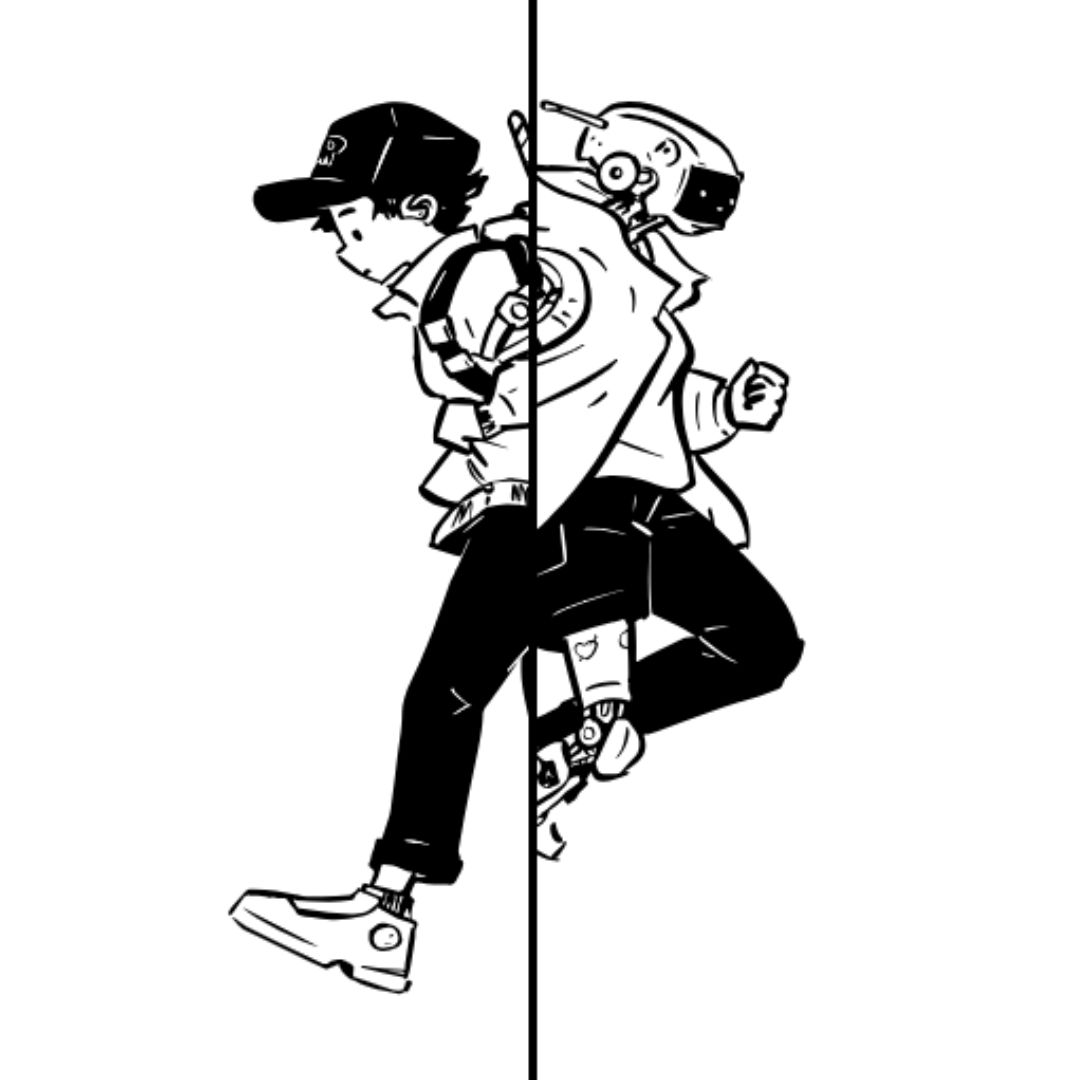
Image Comparison Slider
A Image Comparison Slider is an interactive web component that allows users to compare two images by dragging a slider across them. Built with HTML, CSS, and JavaScript, its purpose is to provide a visually engaging and user-friendly way to highlight differences or changes between two images.
.jpg)
Slider with jQuery
A Responsive Slider is a dynamic web component that presents images or content in an interactive slideshow. Built with HTML, CSS, and jQuery, it simplifies the creation of smooth transitions and navigation controls with minimal code. This tool is perfect for showcasing product galleries, portfolios, or featured content, offering a visually appealing and user-friendly way to present information on any device.

Details Card Slider
Responsive Details Card Slider is a visually appealing card slider created using HTML, CSS, and JavaScript, featuring interactive cards that display detailed information upon user interaction. It enhances user experience by providing a dynamic and engaging way to showcase content, making your website more interactive and visually appealing.