4 JavaScript Filters
JavaScript is essential for creating dynamic, client-side filtering systems that allow users to instantly narrow down a list of items without a page reload. This is commonly used in e-commerce sites to filter products by category, price, or brand. JavaScript listens for changes on filter inputs (like checkboxes or range sliders) and then shows or hides the corresponding items in the DOM. This client-side filtering provides a fast and responsive user experience. This collection features various examples of dynamic filtering, from searchable lists to complex multi-filter galleries. Learn how to manipulate the DOM based on user input to create powerful filtering interfaces.

Tag Based Filter
A Tag-Based Filter is a dynamic web component that allows users to filter content by clicking on a series of tags. Built with HTML, CSS, and JavaScript, its purpose is to provide a user-friendly and efficient way to organize and browse a large amount of content.

Filter/Search HTML Table
A Filter/Search HTML Table is a web development technique that provides a user with a way to filter and search through data in an HTML table. Built with a few lines of jQuery, its purpose is to create a dynamic and user-friendly way to navigate and find specific information in a large dataset. This feature enhances the user experience by allowing for quick and efficient data retrieval without the need for a full page reload.
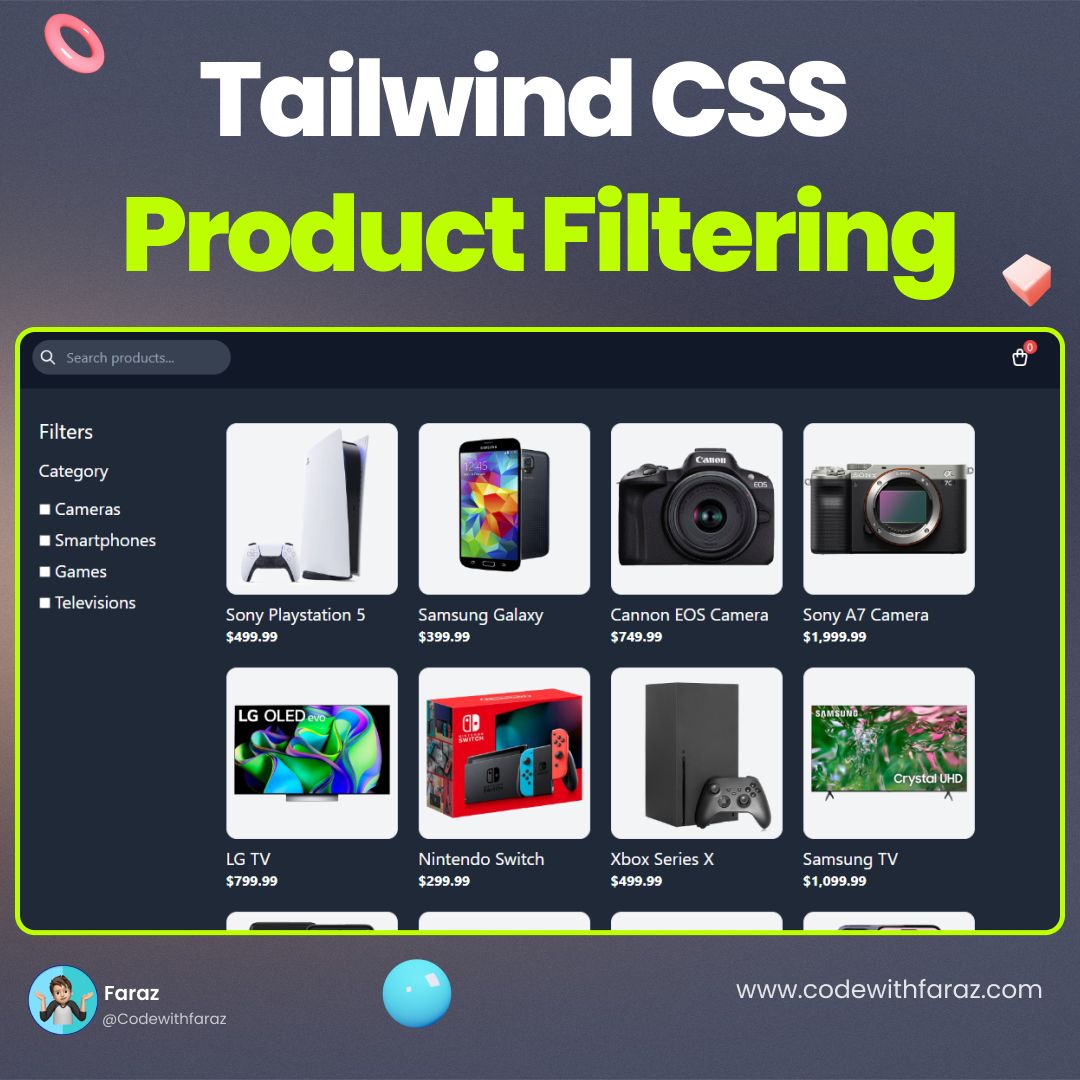
Product Filtering
A Product Filtering component is a vital feature for modern websites that helps users narrow down a large list of products based on specific criteria. Built with HTML, Tailwind CSS, and JavaScript, its purpose is to create a dynamic and user-friendly shopping experience.
.jpg)
Search Filter
A Search Filter is a powerful web component that improves website usability by allowing users to efficiently refine content. This tool, created with HTML, CSS, and JavaScript, empowers users to quickly find what they're looking for without endless scrolling.